Track. Store. Save
Expense management app
COMPANY
Millipixels Interactive
ROLE
Associate UX Designer
EXPERTISE
UX Designer
YEAR
2020

Project description
With rising disposable incomes, people are spending more, but often lose track of small, recurring expenses. These overlooked costs can add up significantly over time. Manually tracking such expenses or storing invoices can be tedious and easily neglected. To address this challenge, the project was initiated to design a solution that helps users store their invoices and monitor their expenses seamlessly.
How might we help the people in tracking their expenses.
Problem Statement
As digital payment methods become more convenient and widely used, people are spending more—often without realizing it. This ease of spending has led to difficulty in tracking expenses, and in the process, receipts often get lost or forgotten.
Process
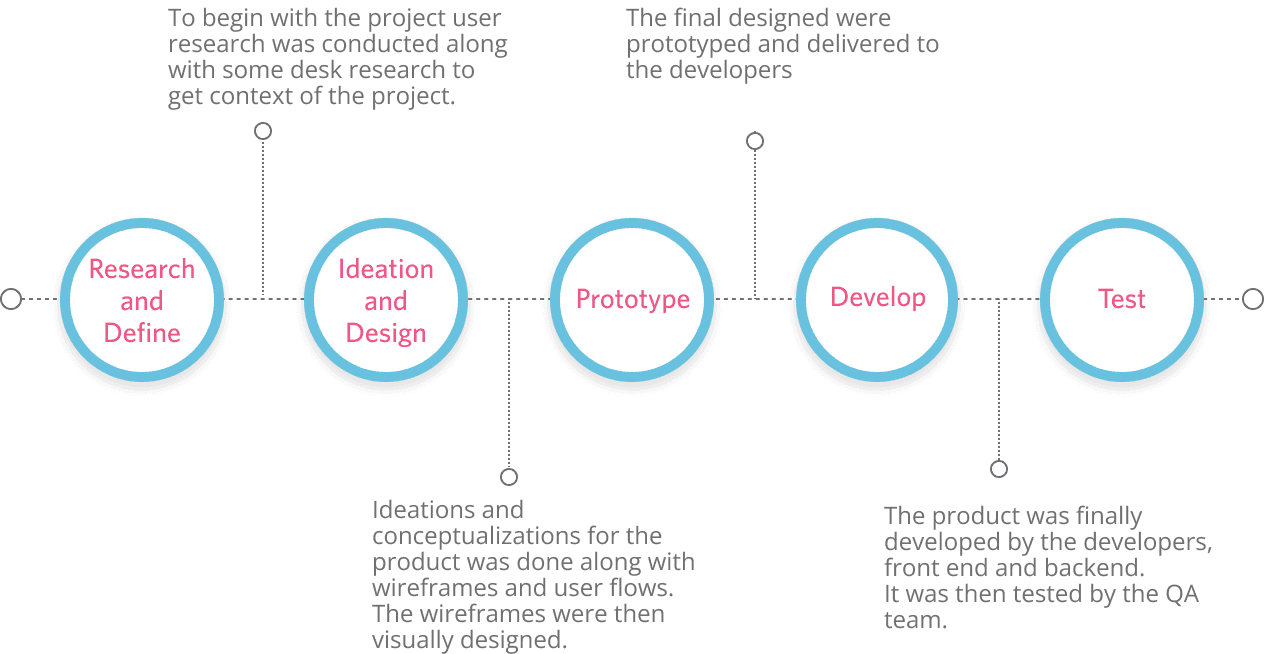
As the UX lead for this project, I drove the experience design from discovery to delivery, focusing on solving the real-world problem of tracking overlooked expenses. The process followed a structured and user-centered approach:
Research & Discovery
To understand the landscape of personal expense management:
Conducted qualitative interviews and quantitative surveys to uncover user behaviors and challenges.
Performed competitive analysis to identify gaps in existing solutions.
Analyzed findings to define key pain points, which informed user personas and journey maps.
Compiled insights into a clear design brief that guided the product direction.
UX Strategy & Design
To structure and shape the experience:
Led ideation sessions and defined user flows and business rules.
Created UML diagrams to communicate flows across teams.
Designed both low- and high-fidelity wireframes to iterate on the solution.
Prototyped key interactions to validate user journeys.
Collaboration & Implementation
To bring the solution to life:
Worked closely with visual designers to ensure UI consistency and clarity.
Partnered with developers to validate design feasibility and resolve implementation queries.
Provided ongoing support through design handoffs, reviews, and iterations to ensure a seamless build.
Solution
To address the growing challenge of untracked spending and lost receipts in a cashless, fast-paced economy, the product was designed to simplify and streamline personal expense management. It enabled users to set clear financial boundaries through customizable budgeting, while also introducing a smart receipt scanning system that automated data entry and organization. These features worked in harmony with a monthly analysis dashboard that visually presented insights into spending habits, helping users make more informed financial decisions. By combining manual control with automation and data visualization, the product significantly reduced the friction of tracking expenses, improved financial awareness, and empowered users to stay on top of their spending.
Add Budget & Categorize Expenses
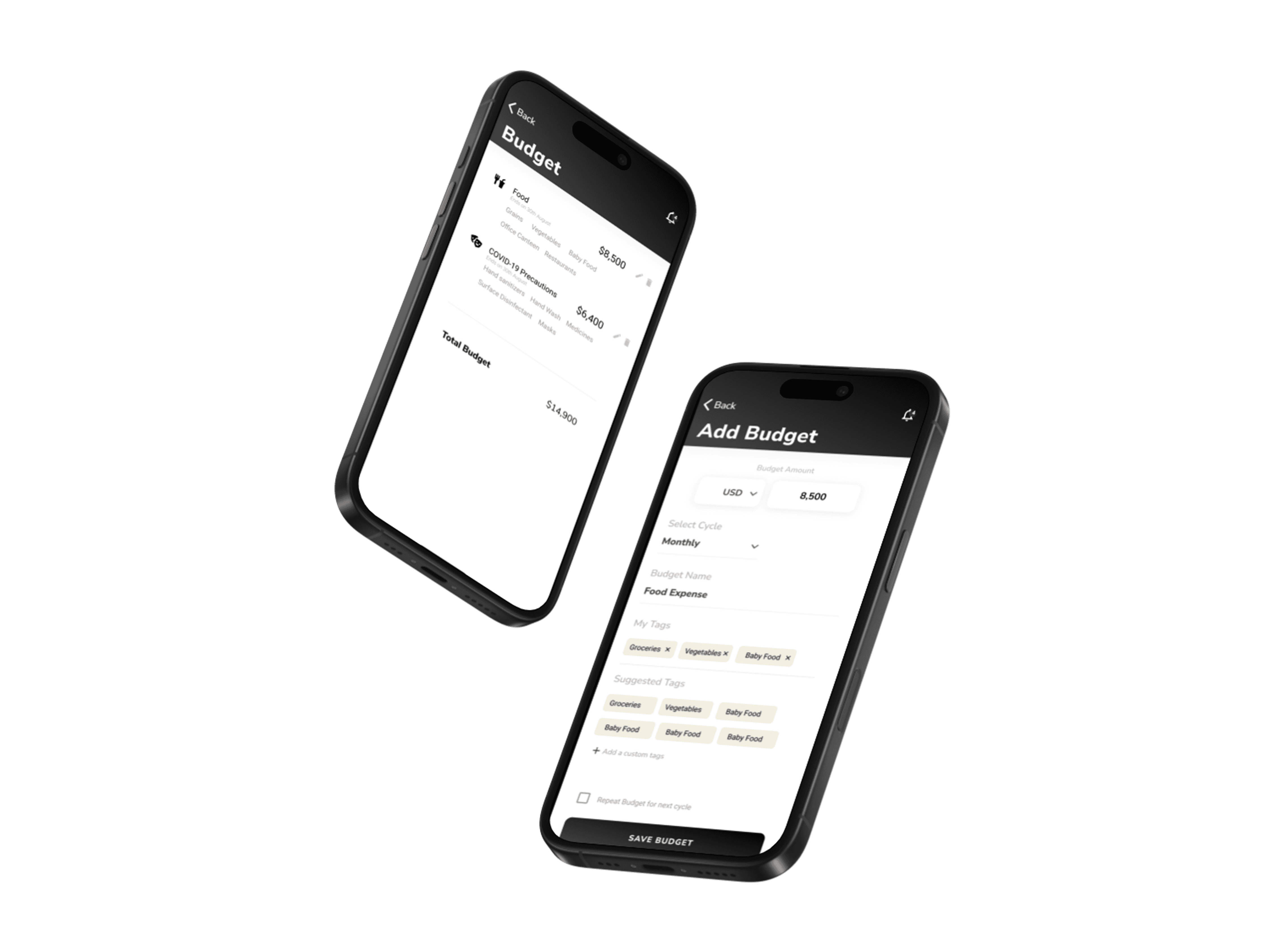
To help users take control of their finances, a flexible budgeting system was designed. Users could set monthly budgets and create custom categories such as groceries, transport, subscriptions, or personal care. Each expense entry was linked to these categories, allowing the system to track spending in real time against set limits. The intuitive interface guided users through the budget creation flow, reducing cognitive load and encouraging frequent use.
Scan & Save Receipts
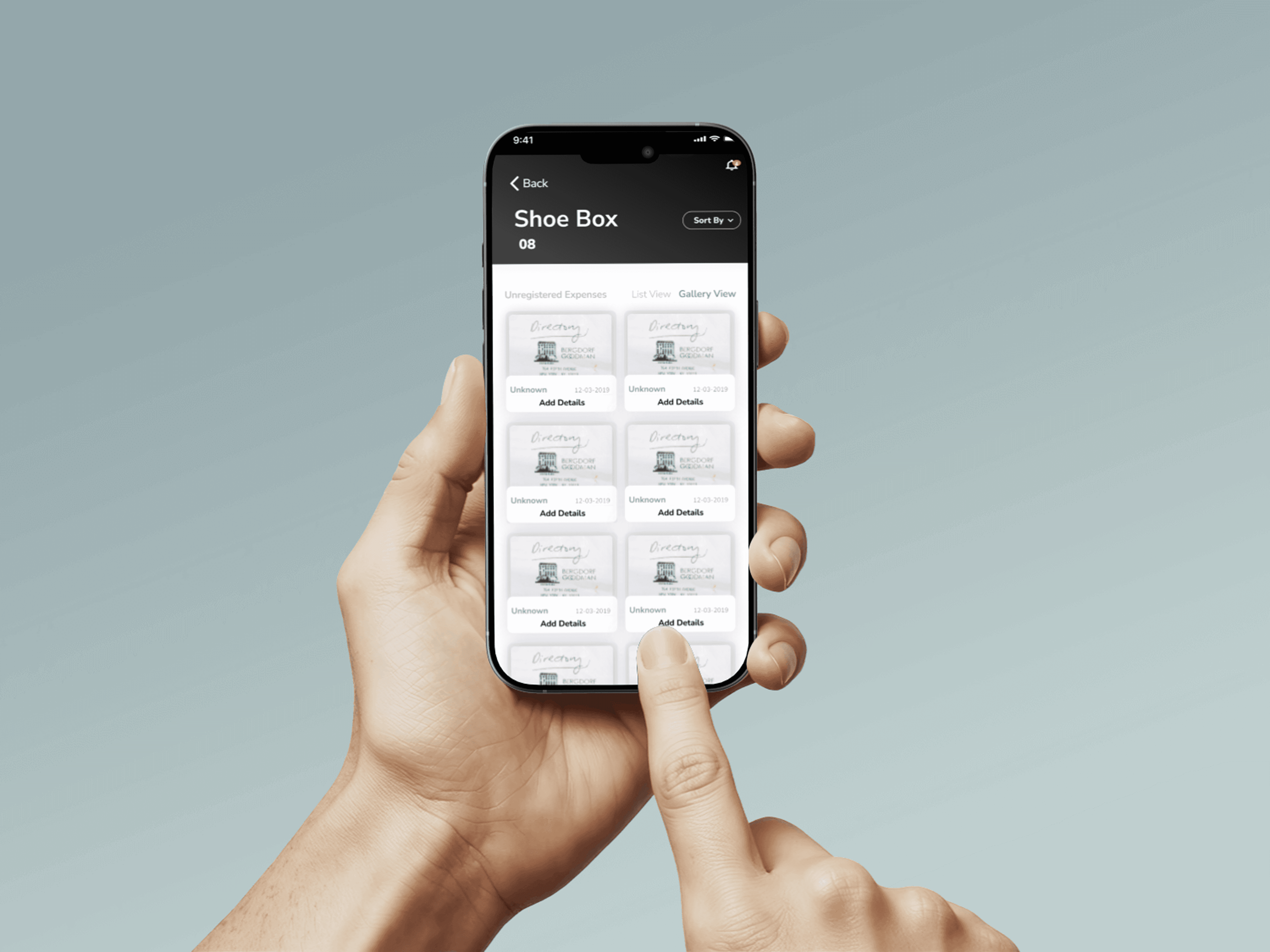
To reduce manual effort and improve accuracy, a feature was introduced to upload and scan physical receipts. Users could snap a photo or upload an image, and the system would auto-extract key details (amount, vendor, date) using OCR (optical character recognition). These receipts were then automatically assigned to the relevant budget category, ensuring no expense went untracked. This feature made it easier for users to maintain accurate records and revisit past purchases when needed.
Monthly Expense Analysis
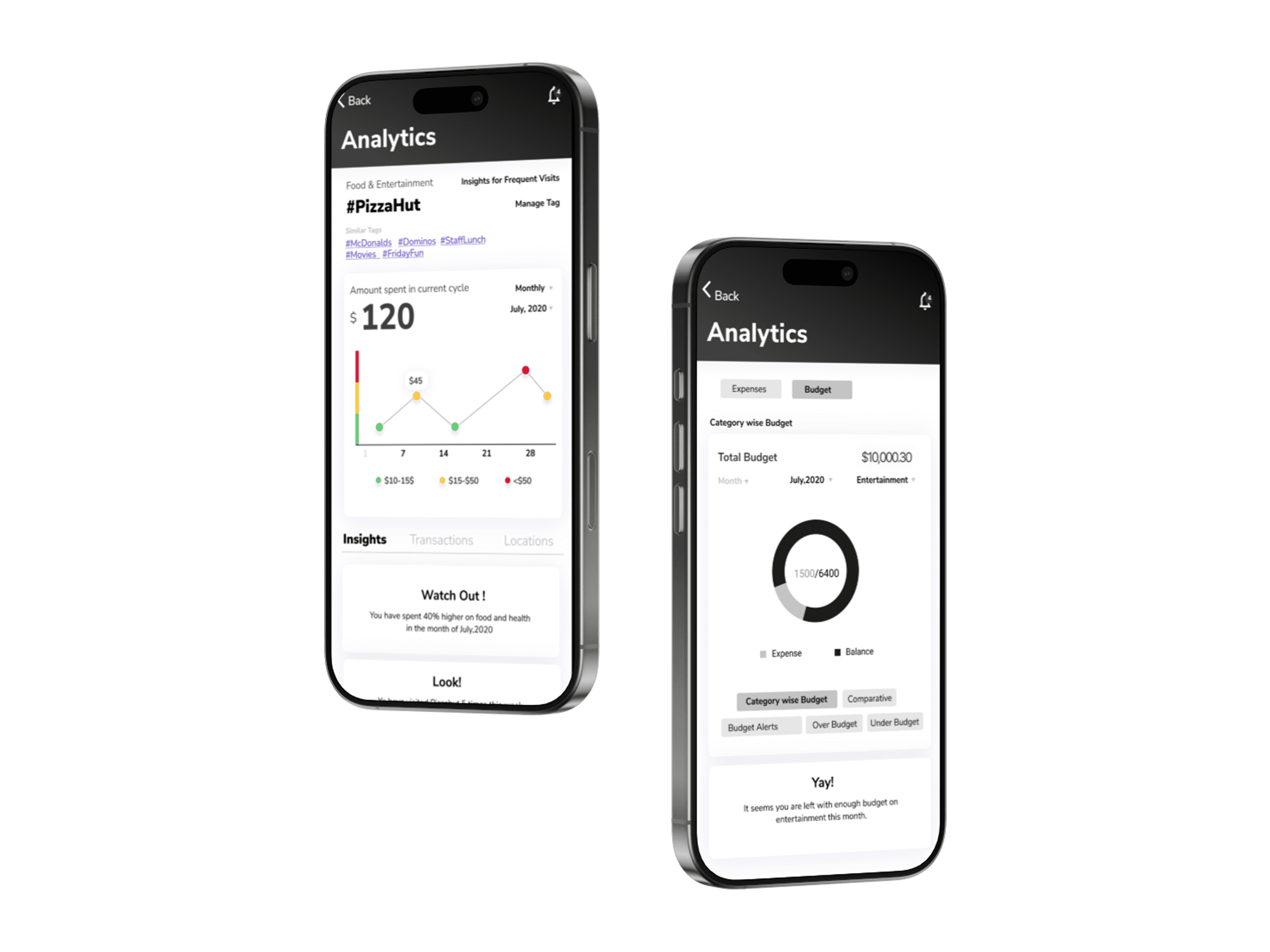
Leveraging user input and stored data, the system generated automated monthly reports that visualized spending patterns. These reports included trend lines, category breakdowns, and spending alerts, helping users identify areas of overspending or saving opportunities. The analysis view supported both tabular and graphical formats, offering users clarity and insight into their financial habits.